
If you’re planning to start a website, you’ll come across different types of web hosting shared hosting, VPS, cloud, and dedicated. Among these, shared hosting is the most popular choice for beginners and small businesses because it’s affordable and easy to manage.
But what exactly is shared hosting? How does it work, and is it right for you? Let’s break it down in simple terms.
What Is Shared Hosting?
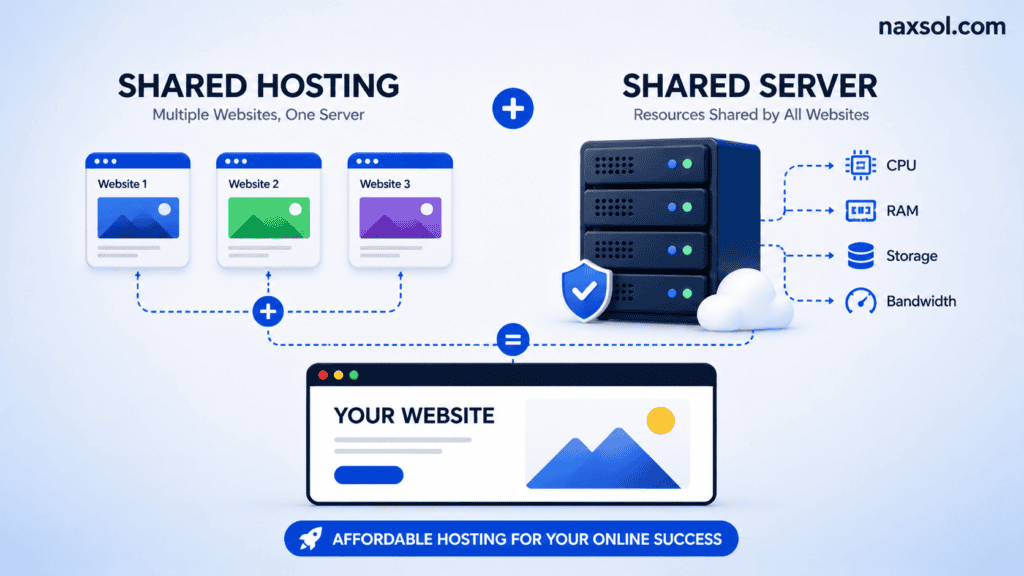
Shared hosting is a type of web hosting where multiple websites share the same server resources — such as CPU, RAM, disk space, and bandwidth.
Think of it like renting an apartment in a building: you have your own room (your website), but you share utilities like water, electricity, and security with others (the server resources).
How Does Shared Hosting Work?
- Server Setup – Your hosting provider sets up a powerful server that can run multiple websites.
- Account Allocation – Each user gets a control panel (like cPanel) to manage their website, emails, and domains.
- Resource Sharing – All websites on the server share resources. If one site uses too much traffic or CPU, it may affect others.
- Maintenance – The hosting company handles security updates, server monitoring, and backups, so you don’t have to.
Benefits of Shared Hosting
- Affordable – Perfect for startups, blogs, and small businesses.
- Beginner-Friendly – No technical setup required.
- Maintenance-Free – Server security and updates handled by hosting provider.
- Scalable – Easily upgrade to VPS or cloud hosting as your site grows.
Limitations of Shared Hosting:
- Limited Resources – Heavy traffic may slow down your site.
- Security Risks – If one site is hacked, others on the server can be affected.
- Less Control – You can’t configure the server at a deep level.
Who Should Use Shared Hosting?
- Bloggers just starting out
- Small business websites
- Portfolio sites
- Local service providers
- Students learning web development
If you’re launching your first website, shared hosting is the best place to begin.
FAQs:
1. Is shared hosting good for eCommerce?
It can work for small stores, but for larger eCommerce sites, VPS or cloud hosting is recommended.
2. Can I host multiple websites on shared hosting?
Yes, most shared hosting plans allow multiple domains.
3. Will shared hosting affect my SEO?
Not directly. Speed and uptime matter more. If your provider is reliable, SEO won’t be affected.
So,
Shared hosting is the most cost-effective way to get your website online, especially if you’re just starting. It’s easy to use, managed by professionals, and perfect for beginners.
If you’re ready to launch your site, check out Naxsol Shared Hosting with cPanel access, free SSL, and 24/7 support to make your website journey hassle-free.