
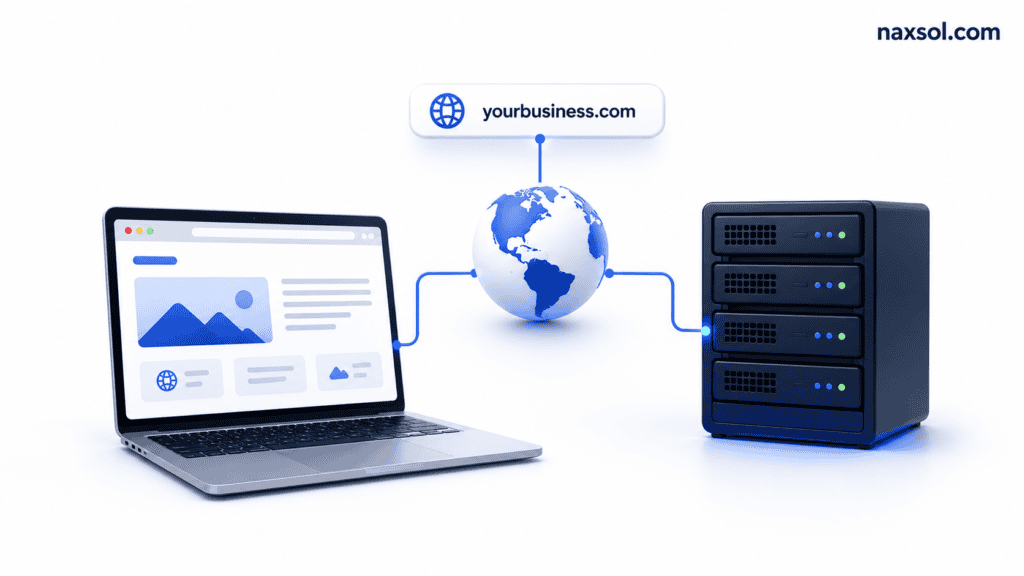
A website works by storing files on a server and delivering those files to visitors through a web browser. When someone enters a website address, the browser requests information from a server, and the server responds by sending the website content back to the visitor.
What Happens When Someone Visits a Website?
When a user types a website address into a browser, several things happen within seconds.
The browser first finds the website’s server using the domain name. Once the correct server is located, it requests the website files. The server then sends those files back to the browser, which displays the website to the visitor.
Although this process feels instant, multiple systems work together behind the scenes to make it happen.
The Role of a Domain Name
A domain name is the address people use to find a website.
Instead of remembering a server’s IP address, users can simply enter a memorable name such as example.com. The domain acts as a shortcut that points visitors to the correct server.
Without a domain name, accessing websites would be much more difficult.
The Role of Web Hosting
Web hosting stores the files that make up a website.
These files include text, images, code, databases, videos, and other content required for the website to function. Hosting providers maintain servers that keep these files available online 24 hours a day.
Without hosting, a website has nowhere to exist.
How Browsers Display Websites
A browser’s job is to take files from a server and turn them into a visual website.
HTML structures the page, CSS controls design and layout, and JavaScript adds interactivity. The browser combines these elements and displays them as a complete webpage.
This happens every time a visitor loads a page.
Why DNS Is Important
DNS, or Domain Name System, connects domain names to servers.
When someone enters a website address, DNS translates that domain into the server’s IP address. This allows the browser to locate the correct website.
Without DNS, browsers would not know where to find websites.
What Makes a Website Load Faster?
Website speed depends on several factors.
Fast hosting, optimized images, efficient code, caching, and content delivery networks all contribute to better performance. A slow website often results from large files, poor optimization, or overloaded servers.
Visitors generally expect websites to load within a few seconds.
What Happens When a Website Goes Offline?
A website becomes unavailable when the server cannot respond to visitor requests.
This can happen because of server failures, expired hosting plans, technical issues, or maintenance work. During downtime, visitors may see error messages instead of website content.
Reliable hosting helps reduce downtime and keep websites available.
Common Misconceptions About How Websites Work
Many people believe a website is a single file stored online.
In reality, most websites consist of hundreds or thousands of files working together. Pages, images, databases, scripts, forms, and security systems all contribute to the final experience visitors see.
Understanding this makes it easier to manage and troubleshoot websites.
How to Create Your Own Website
Creating a website typically requires four things:
- A domain name
- Web hosting
- A website platform such as WordPress
- Content for your pages
Once these pieces are connected, your website can be published and accessed online.
Frequently Asked Questions
Can a website exist without a domain name?
Yes. A website can exist using its server IP address, but a domain name makes it much easier for people to find and remember.
Can a website exist without hosting?
No. Hosting is required because website files need a place to be stored and delivered to visitors.
How long does it take for a website to load?
Most websites load within a few seconds, depending on hosting quality, optimization, and visitor location.
Does website speed affect SEO?
Yes. Slow websites can negatively impact user experience and search engine visibility.
Do all websites use servers?
Yes. Every website is stored on a server, whether it is shared hosting, VPS hosting, cloud hosting, or dedicated hosting.
Start Your Website Today!
If you’re a beginner, you can start with simple and affordable hosting:
Explore hosting plans for beginners